KnoxChat Desktop

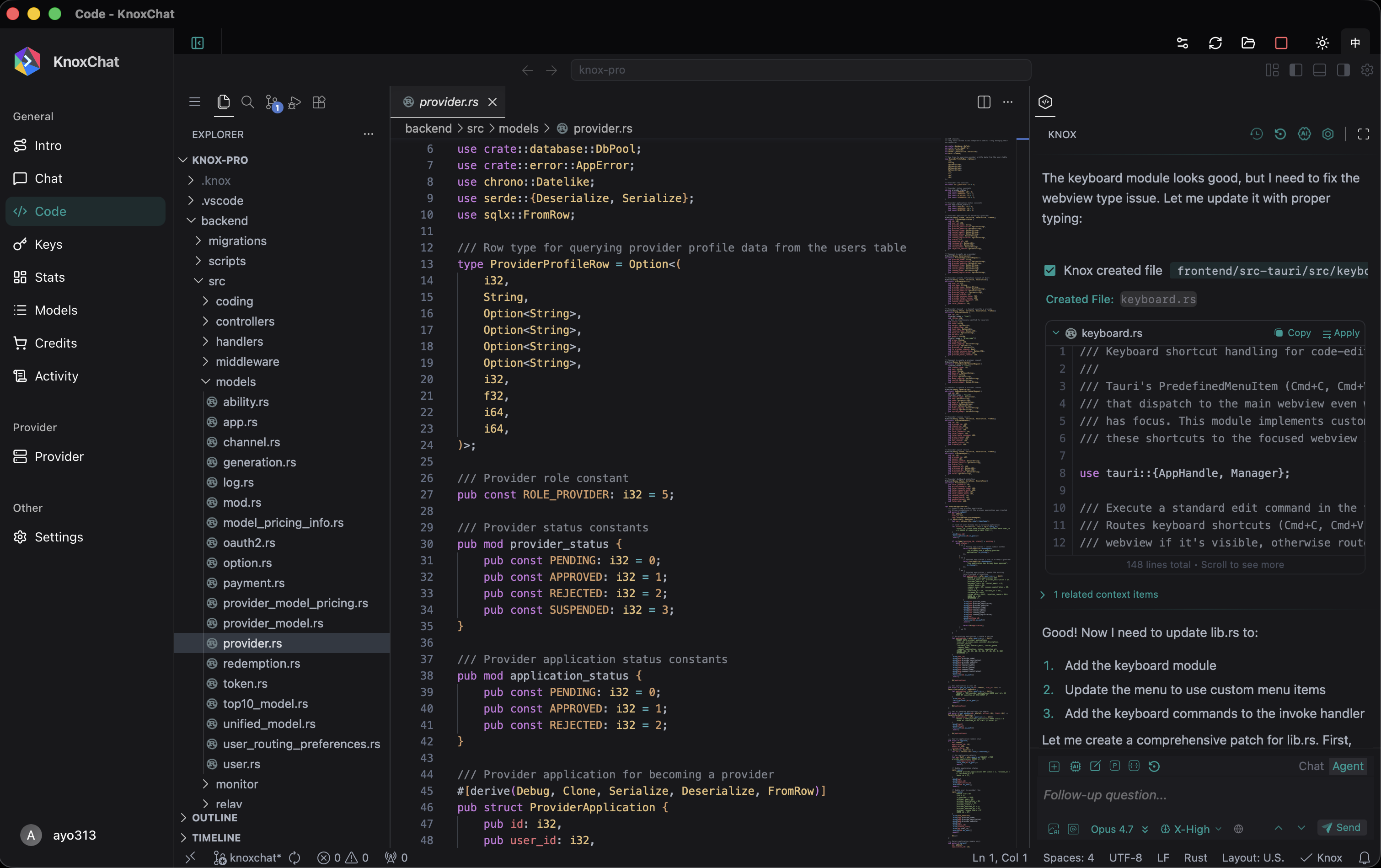
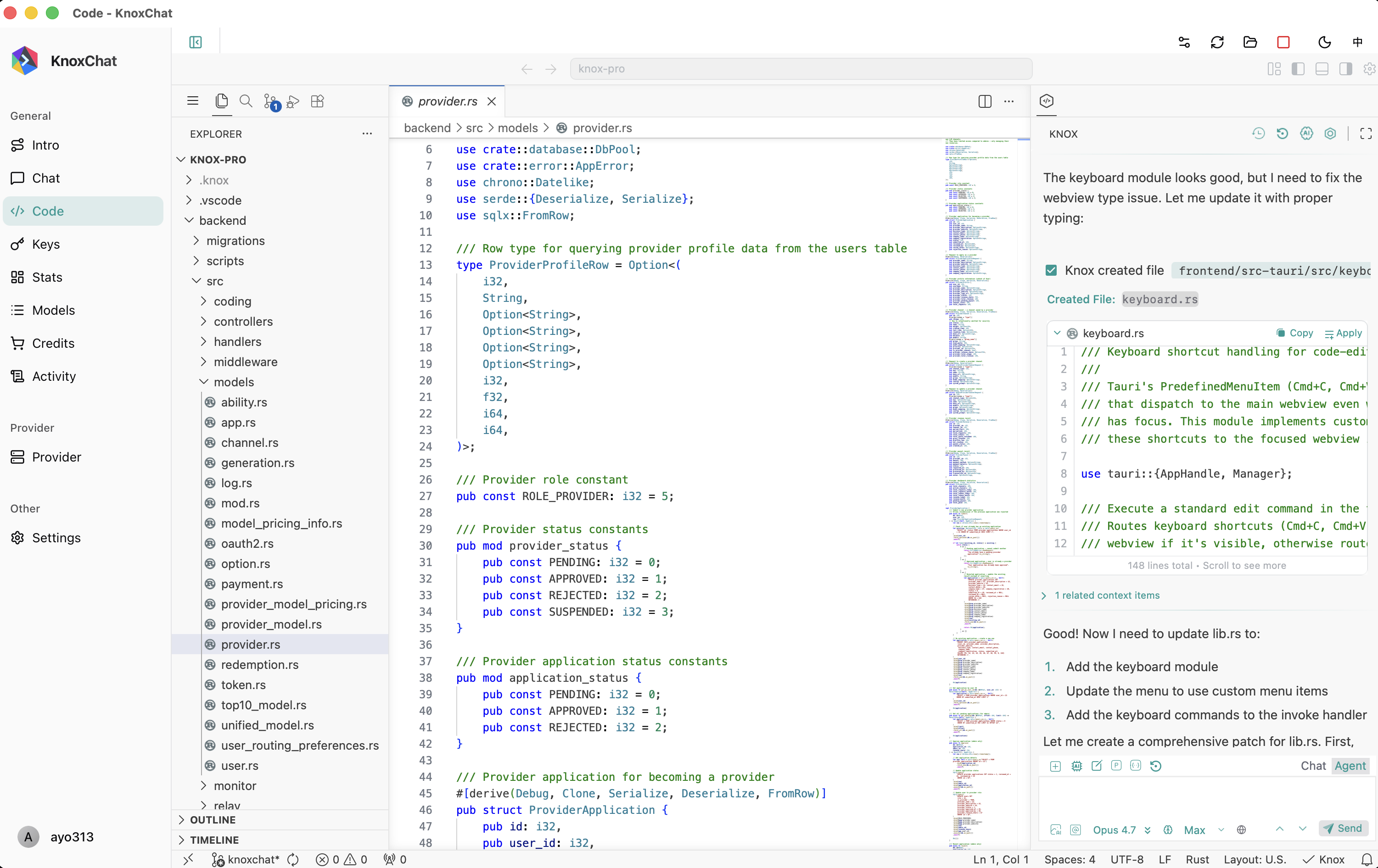
A powerful, cross-platform desktop application that brings the full KnoxChat AI platform to your desktop with an integrated VS Code-based code editor.
 |
|---|
 |
|---|
Why KnoxChat Desktop?
KnoxChat Desktop combines enterprise-grade AI capabilities with a native desktop experience, giving you faster access, better privacy, and seamless coding workflows—all in one app.
One Platform, 100+ AI Models
Access the world's leading AI models through a single unified interface:
- OpenAI — GPT-5.5, GPT-5.4, and more
- Anthropic — Claude Opus 4.7, Claude Sonnet 4.6, Claude Haiku 4.5
- Google — Gemini 3.1 Pro, Gemini Flash
- DeepSeek — DeepSeek V4 Pro, DeepSeek V4 Flash
- Qwen — Qwen 3.6 Max, Qwen 3.6 Plus
- And 60+ more providers — Mistral, XAI Grok, MiniMax, Perplexity, and beyond
No more juggling multiple subscriptions or switching between apps. One API key, one interface, unlimited possibilities.
Key Features
Unlimited Context with Knox Memory System
Traditional AI models have fixed context windows—KnoxChat breaks that barrier.
Knox-MS (Knox Memory System) is a human brain-inspired memory architecture that enables:
- Unlimited conversation length — No more hitting token limits mid-conversation
- Intelligent memory hierarchy — Working memory, short-term, long-term, and permanent storage
- Smart retrieval — Vector search with semantic understanding finds relevant context automatically
- Cross-session learning — The system remembers patterns and preferences across conversations
- Automatic summarization — Long conversations are intelligently compressed without losing key information
Perfect for complex projects, ongoing research, or any task that requires maintaining context over extended interactions.
Intelligent Provider Routing
KnoxChat doesn't just connect you to AI models—it optimizes every request:
- Automatic failover — If one provider is down, requests seamlessly route to alternatives
- Performance routing — Sub-10ms routing decisions based on real-time latency and success rates
- Cost optimization — Automatically select the most cost-effective provider for your needs
- Quality assurance — Continuous monitoring ensures consistent response quality
- 99.9% uptime — Multi-layer fallbacks guarantee your work is never interrupted
Integrated Code Editor
A full VS Code experience built right into the app:
- Complete development environment — File explorer, syntax highlighting, extensions support
- **KnoxChat Agent Coding — AI-powered coding assistant available in every project
- Seamless workflow — Ask questions in Chat/Agent, get code suggestions directly in your editor
- Automatic theme sync — Editor theme follows your app preference (Dark/Light)
- Native clipboard support — Full copy/paste functionality between chat and editor
Native Desktop Experience
Built with performance and usability in mind:
- Fast startup — Native app launches instantly, no browser overhead
- System tray integration — Quick access without cluttering your desktop
- Window state persistence — Remembers your preferred size and position
- Keyboard shortcuts — Familiar shortcuts for power users
Platform Support
| Platform | Status | Download Format |
|---|---|---|
| macOS | ✅ Supported | DMG (Apple Silicon) |
| Windows(Coming soon...) | ✅ Supported | MSI / NSIS Installer |
| Linux(Coming soon...) | ✅ Supported | AppImage / DEB / RPM |
Enterprise-Grade Security
Your data protection is our priority:
- Granular data policies — Control exactly where your data goes with per-provider controls
- Secure by default — Capability-based permissions with strict CSP policies
- No data retention — Your conversations stay private
- SSRF protection — API health checks restricted to known domains
- SOC2 compliant infrastructure — Enterprise security standards
Use Cases
For Developers
- Code generation & review — Get AI assistance while working in the integrated editor
- Debugging assistance — Explain errors, suggest fixes, understand complex codebases
- Documentation writing — Generate clear, consistent documentation from your code
- Multi-model comparison — Test the same prompt across different models instantly
For Researchers
- Unlimited context analysis — Analyze long documents without context window limitations
- Knowledge persistence — Build up knowledge across multiple research sessions
- Cross-reference insights — The memory system connects related concepts automatically
For Content Creators
- Long-form writing — Maintain narrative consistency in novels, reports, or articles
- Iterative refinement — Refine content over multiple sessions without losing context
- Multi-format output — Generate text, images, and code in a single workflow
For Teams
- Consistent experience — Same powerful interface across all platforms
- Centralized billing — One account, unified usage tracking
- API compatibility — Fully compatible with OpenAI API for easy integration
Getting Started
- Download — Get the installer for your platform from the releases page
- Install — Run the installer and follow the on-screen instructions
- Sign in — Create an account or sign in with GitHub
- Add credits — Recharge your account to start using AI models
- Start chatting — Select a model and begin your conversation
Pricing Advantages
KnoxChat offers significant cost benefits over direct API access:
- Pay-per-use — No monthly subscriptions, pay only for what you use
- Unified billing — One balance works across all 100+ models
- Cost transparency — See real-time cost estimates before sending requests
- Smart routing savings — Automatic provider selection can reduce costs by up to 40%
- No hidden fees — Transparent pricing with no markup on most models
System Requirements
| Component | Minimum | Recommended |
|---|---|---|
| macOS | 10.15 (Catalina) | 12.0 (Monterey) or later |
| Windows | Windows 10 | Windows 11 |
| Linux | Ubuntu 20.04 or equivalent | Latest LTS release |
| RAM | 4 GB | 8 GB or more |
| Storage | 500 MB | 1 GB (for code editor and caches) |
| Internet | Required | Stable broadband recommended |
Support & Resources
- Documentation — docs.knox.chat
- Support — support@knox.chat